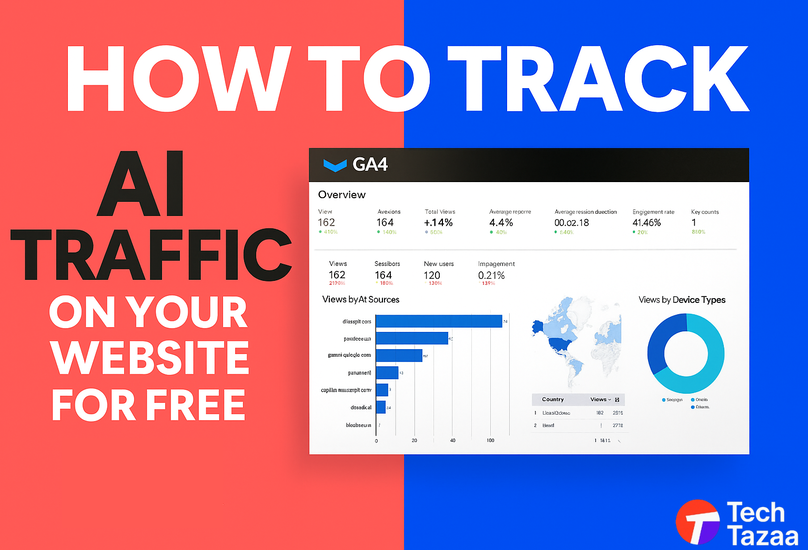

Artificial intelligence is quietly reshaping how people find and visit websites. Tools like ChatGPT, Perplexity, and Gemini now act as intermediaries between users and the web—surfacing snippets, linking to sources, and even driving referral traffic that most site owners never realize they’re getting.
If you’ve noticed unexplained traffic spikes or mysterious “direct” sessions in Google Analytics, there’s a good chance AI tools are behind it. In this guide, we’ll walk through how to track AI traffic on your website for free, identify which tools are sending visitors, and interpret that data to strengthen your SEO strategy.
What Is AI Traffic (and Why It Matters Now)
AI traffic refers to visits generated or influenced by artificial intelligence tools—such as conversational chatbots, AI-powered search engines, or generative assistants—that reference or summarize your web content.

Unlike traditional organic search, AI traffic often:
- Comes through referral domains like chat.openai.com or perplexity.ai.
- Appears as direct traffic because the AI tool hides the referral source.
- Includes non-human crawlers (AI bots indexing or summarizing pages).
Why It’s Important
AI-driven visibility is becoming a new form of SEO currency. Understanding where this traffic originates helps you:
- Measure how AI tools are using and citing your content.
- Identify pages that perform well in generative search results.
- Adjust your SEO strategy to target AI visibility—what’s now called Generative Engine Optimization (GEO).
How to Know If You’re Getting AI Traffic
Most site owners are already receiving AI-driven visits—they just can’t see them. Look for these early indicators:

- Referrals from AI domains: Check your referral list in Google Analytics or Plausible for sources like chat.openai.com, perplexity.ai, you.com, or gemini.google.com.
- Impressions without clicks: In Google Search Console, certain keywords may show rising impressions but stagnant click-through rates, a sign your content is being cited by AI tools rather than clicked.
- Spikes in direct traffic: AI tools sometimes mask referral data, showing these visits as “Direct.”
- Odd user-agent strings: In server logs, user agents like “GPTBot” or “ClaudeBot” indicate AI crawlers accessing your site.
A quick visual reference of traffic sources can be built in Looker Studio for ongoing monitoring.
Free Tools to Track AI Traffic
You don’t need premium analytics software to see AI traffic. Here are free methods that work today.

1. Google Analytics 4 (GA4)
GA4 is still the foundation for tracking AI referrals.
- Go to Reports → Acquisition → Traffic Acquisition.
- Add a secondary dimension for “Session source” and look for AI-related referrers.
- Create a Custom Channel Group to isolate these visits.
- Use regex filters like (chat.openai|perplexity|you|gemini) to group AI traffic.
Pro tip: Track engagement metrics (avg. session duration, conversions) for these segments to see if AI visitors behave differently.
2. Google Search Console
Although GSC doesn’t explicitly label AI traffic, it can reveal patterns:
- Filter queries with high impressions but low clicks.
- Check pages that frequently appear in AI-related search experiments or featured snippets.
3. Plausible Analytics
Plausible’s free tier shows referral sources clearly and doesn’t use cookies—ideal for smaller sites. Look for traffic from AI domains or unusual sources with short visit durations.
4. Server Logs & WordPress Plugins
For advanced users, tools like GoAccess or Matomo can surface AI bot visits in raw server logs. WordPress users can install plugins like WP Statistics to visualize referrers and user agents.
Step-by-Step Setup: Tracking AI Traffic (Without Paid Tools)

- Install GA4 or verify tracking: Make sure GA4 tracking is active on every page.
- Create a custom dimension: Label sessions based on the referral source.
- Add filters for AI sources: Use regex to group AI traffic.
- Connect GA4 to Looker Studio: Build a visual dashboard for AI traffic vs. organic vs. direct.
- Monitor weekly: Note engagement metrics and any content that consistently attracts AI visits.
A short Loom video or infographic here could illustrate each GA4 setup step.
Analyzing and Using AI Traffic Data
Once you’ve isolated AI traffic, turn it into insight.

- See what pages AI tools surface most often. These are likely being cited or summarized.
- Optimize those pages for AI search. Add schema markup, clear headings, and FAQ sections to improve how AI understands and presents your content.
- Segment human vs. AI visitors. AI crawlers tend to have zero engagement; humans referred from chatbots behave differently.
- Adjust your KPIs. Remove AI visits when calculating bounce rate or conversions to get cleaner performance metrics.
Common Tracking Mistakes
Avoid these pitfalls when measuring AI-driven visits:
- Ignoring referral filters (you’ll misread traffic data).
- Treating AI crawlers as spam bots instead of separate entities.
- Failing to segment data—mixing AI with organic or paid channels distorts reporting.
- Not accounting for privacy settings that block referral data.
Documenting these errors in your analytics setup ensures consistent reporting later.
Advanced Tip: Tracking Mentions and Citations from AI Tools
Beyond traffic, AI tools may cite or summarize your website.
- Set Google Alerts or use Ahrefs Alerts for new backlinks referencing your brand.
- Monitor mentions in AI-generated outputs (for example, Perplexity’s “Sources” section).
- Experiment with tools like Similarweb’s AI Traffic Insights to see how much of your traffic is AI-assisted.
This helps identify whether your content is being used as a trusted reference in AI models—valuable for authority building.
FAQs About Tracking AI Traffic
- What is AI traffic in Google Analytics?
AI traffic refers to visits that come from or are initiated by AI tools such as ChatGPT, Perplexity, or other AI search platforms.
- Can I see ChatGPT traffic in GA4?
Yes, if ChatGPT passes referral data (like chat.openai.com). If it doesn’t, you can track related patterns under “Direct” traffic.
- Are free tools accurate for tracking AI visits?
They’re not perfect but effective for spotting trends and identifying patterns. Paid solutions provide deeper AI segmentation.
- Is AI traffic good or bad for SEO?
It’s good if humans follow links from AI summaries. However, excessive bot visits can skew analytics.
- How can I increase my visibility in AI search results?
Focus on factual, concise, and structured content with schema markup and clear language. AI engines prefer clarity over fluff.
Wrapping Up: Start Tracking AI Traffic Today
Traffic from AI is no longer something reserved for the future, it is happening now. Each time ChatGPT answers a question and includes a link to your page as part of the answer, you can have visibility of traffic and potential conversions that you can measure.
By using quick and simple filters in GA4 or using 100% free tools for analytical purposes you can do a few quick things:
- Understand how AI search engines are interacting with that content.
- Know what pages need to be optimized for the AI-generated summary.
- Give yourself a head-start for the future of SEO in an AI-generated search landscape.
Next Step:
Set up your GA4 filters today and start spotting AI visitors on your website. You’ll gain insights competitors are still missing.